Timers and manual entry
Track from the web or lightweight desktop companion, with favourites, recent work, notes, phases, and billable rules.
Smartsheet-native time tracking
Track time, run approvals, watch project budgets, invoice clients, and keep your Smartsheet project plans in sync — all in one calm workspace.
Free plan available. No credit card required.
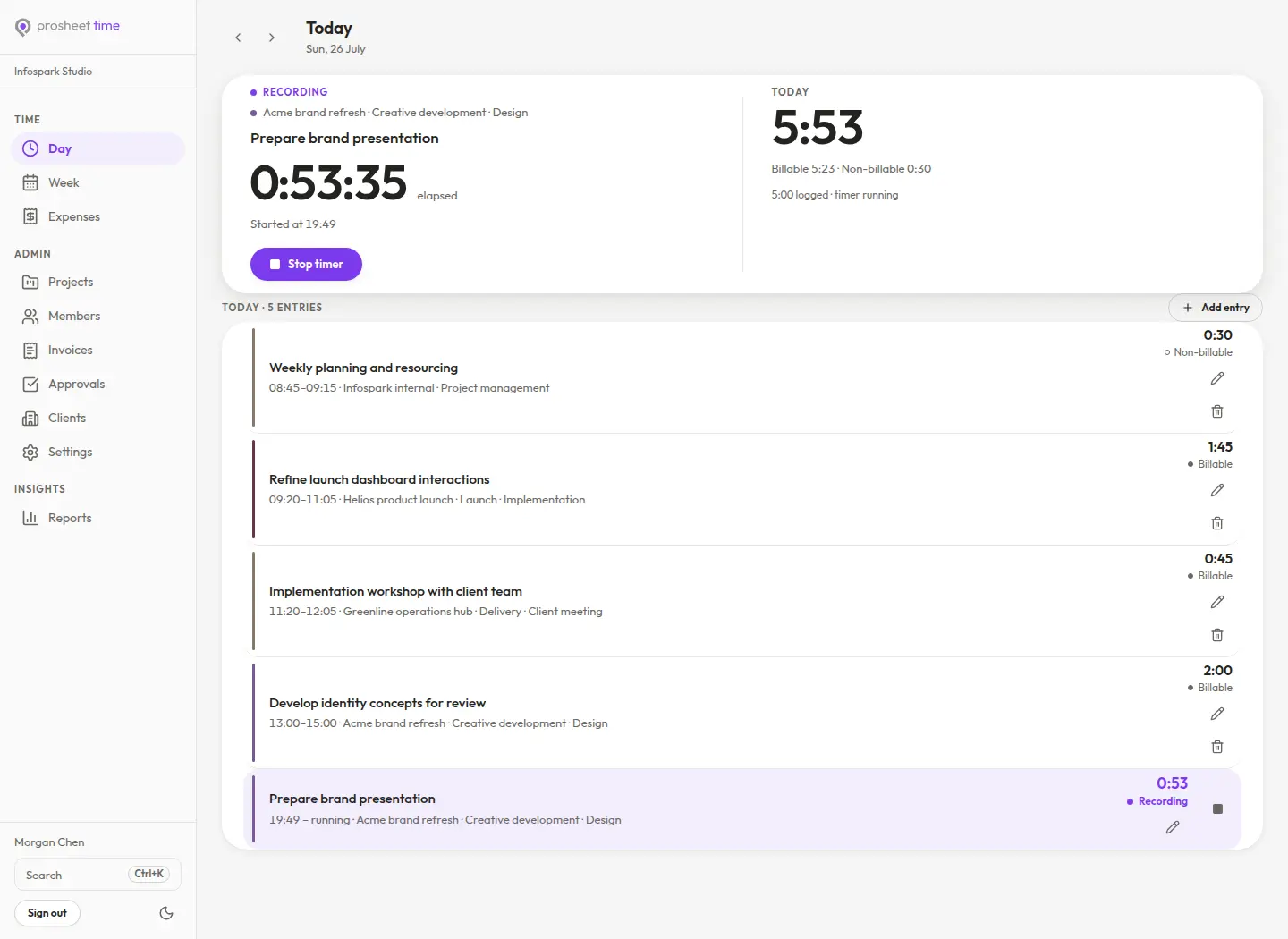
The product, not a mock-up
Start a timer or add time manually. Prosheet Time keeps the billable split, live daily total, project context, and every entry together.
Built into Prosheet Time
Time tracking is only the start. The shipped product gives teams the controls they need to turn project activity into approved, billable work.
Track from the web or lightweight desktop companion, with favourites, recent work, notes, phases, and billable rules.
Review a whole week by project, phase, and activity, then submit it for manager approval from the same screen.
Organise client work, project teams, activities, phases, hourly rates, fixed fees, and budget warning thresholds.
Keep client work and contacts together, capture expenses, and turn uninvoiced time into clear invoice drafts.
Register project sheets and reports, map their columns, keep them current, and send time summaries back on demand or on a schedule.
Explore time and budget reporting, and bring clients, projects, people, activities, and historic entries across from Harvest.
Project operations
Filter by client, commercial model, or status. Open a project to manage its team, phases, activities, rates, and budget.
Explore Prosheet Time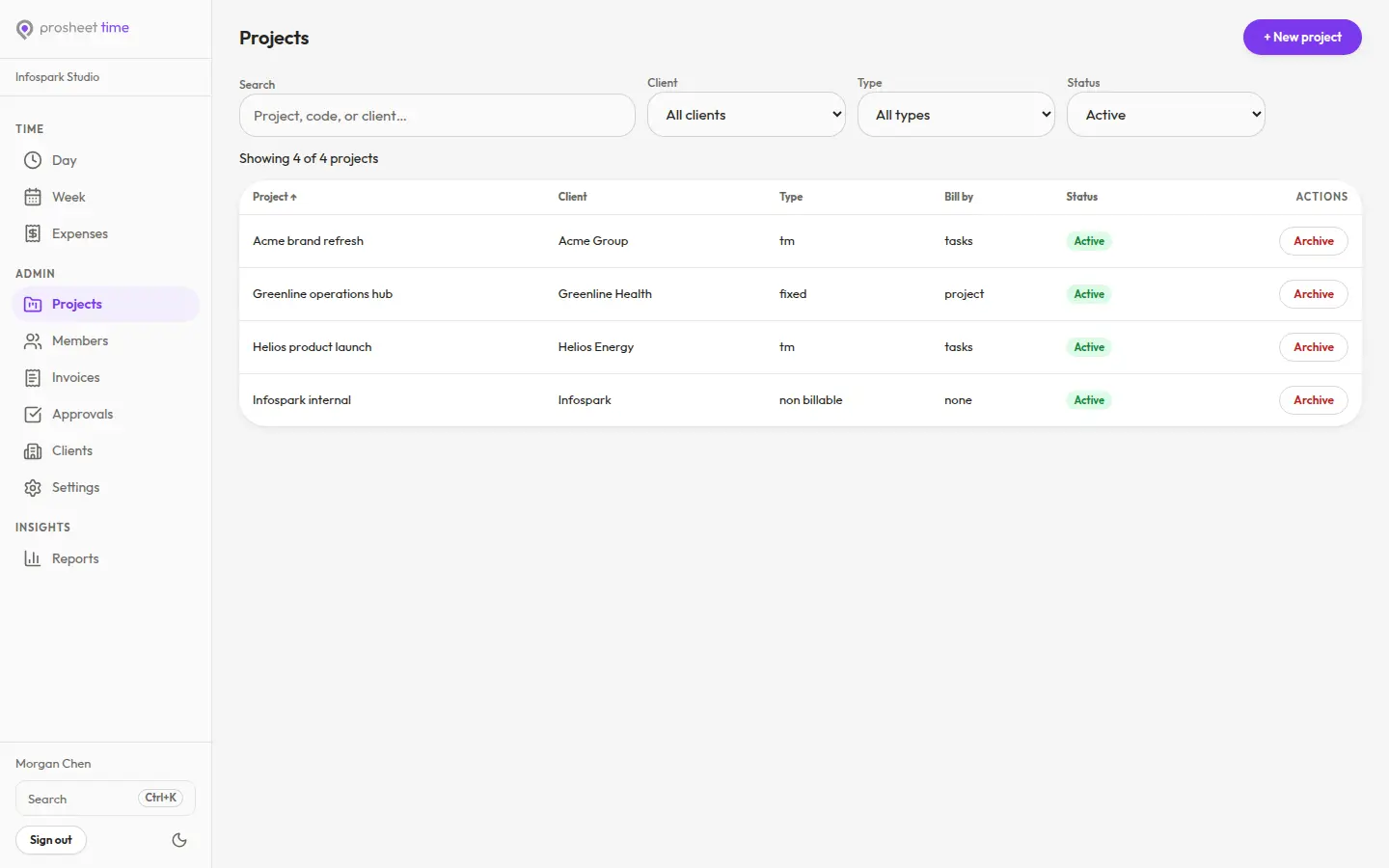
Prosheet Time turns your existing sheets and reports into trackable project work, then keeps time and project data moving in both directions.
Connect your Smartsheet account, hosted in the US, EU, or AU data centre. It takes a couple of clicks, with no IT ticket required.
Point Prosheet Time at a sheet or a report and map its columns to projects, phases, and tasks. Your Smartsheet structure becomes your Prosheet Time structure.
Prosheet Time adds a durable Log time link to each tracked row. Open it to start a timer or enter time with the project, phase, activity, and assignment already resolved.
Write time, cost, and billed totals back to tracked rows, or send a raw or summarised time feed to another Smartsheet on demand or on a schedule.
Inside the integration
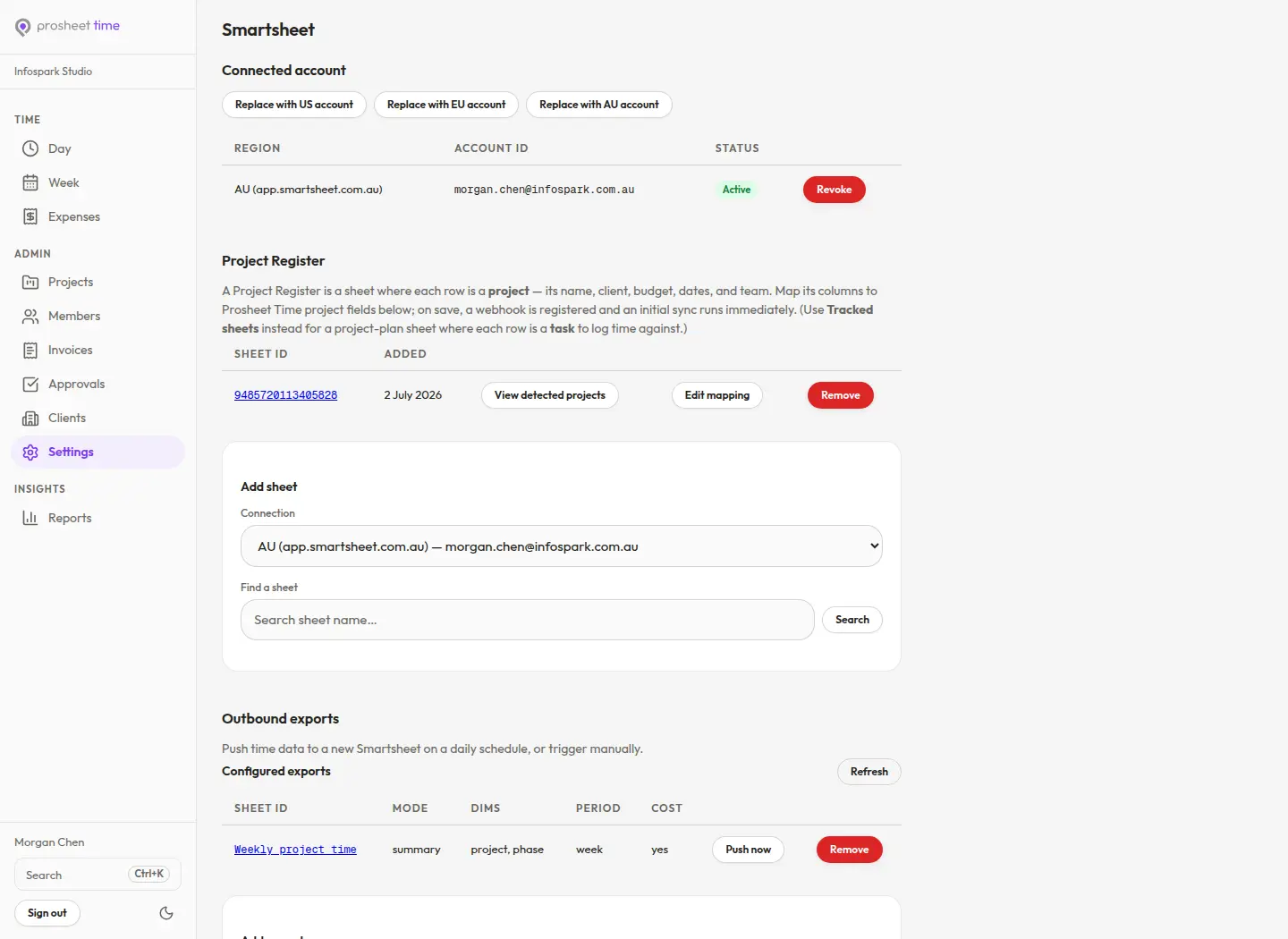
The Smartsheet workspace shows the connected regional account, registered Project Registers, detected projects, column mappings, and configured outbound exports.
Prosheet Time is designed by a team of Smartsheet experts who have delivered hundreds of Smartsheet projects for customers who needed a serious way to track time against their work. We built the tool we wished we'd had.
Weekly timesheets
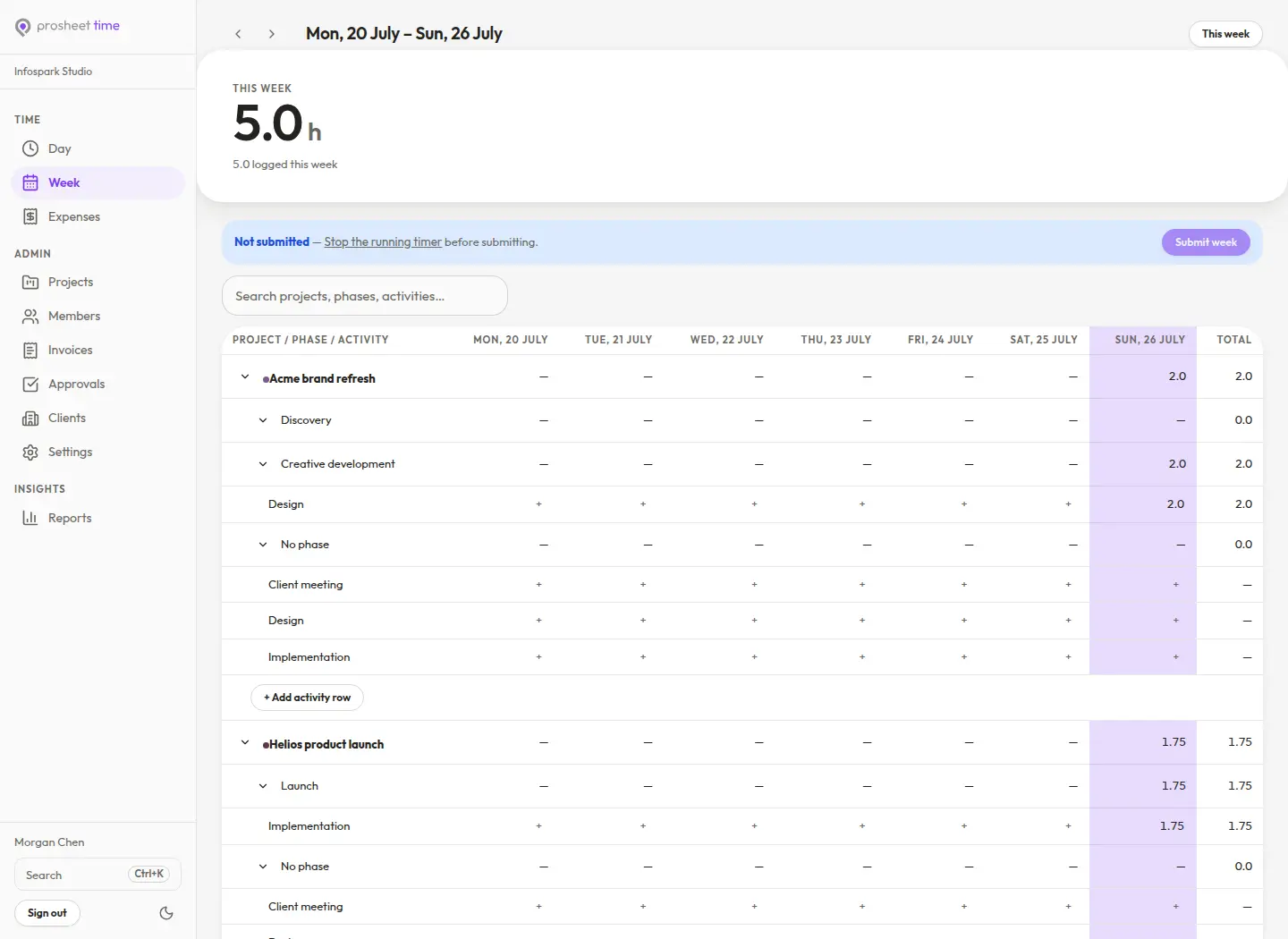
Enter time directly into the grid, search down to the work that matters, and submit the completed week for approval.
Move to Prosheet Time without starting over. Connect your Harvest account and import your clients, projects, tasks, users, and every time entry in one guided step. Nothing already in Prosheet Time is overwritten, and the import can be run again safely at any time.
Your history comes across with you. Up and running in minutes.
Free and Business include the complete core product, API, and MCP access. Paid subscriptions are monthly, with no annual commitment.
No feature gates — API and MCP included.
Beta launch promotion — use coupon LAUNCH for a limited time.
No feature gates — API and MCP included.
Contact us for pricing tailored to your organisation.
Desktop app · early access
A lightweight desktop app for macOS and Windows: a menu bar / system tray timer that starts and stops without a browser tab open. Same account, same data, nothing to reconnect.
On Mac: no warning expected — the app is signed and notarized by Apple. If you downloaded an early-access build before signing was in place and still see a Gatekeeper warning, just re-download the current version.
On Windows: the installer isn't code-signed yet — that's next on the list, not a sign anything's wrong. SmartScreen will say "Windows protected your PC." Click More info, then Run anyway.
Connect Smartsheet, set up your first project, and start logging time today.
Free plan available. No credit card required.